




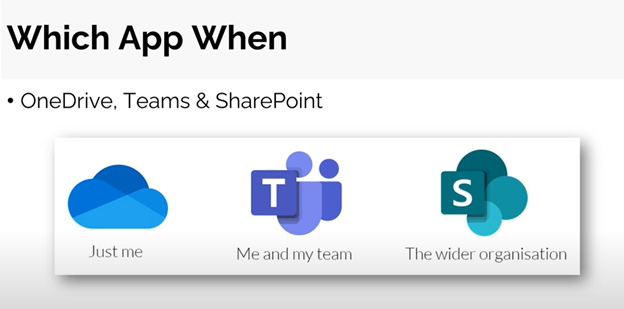
Microsoft continues to add functionality and apps to Microsoft 365 and this month we’re going to take a look at 3 of the key apps you’ll use with Microsoft 365. In our experience very few people know how and when to use them, so here is a brief explanation.
Microsoft 365 is designed to meet the unique needs of every team, empowering people to communicate, collaborate and achieve more with purpose-built, integrated applications. When deciding which app you want to use, think about the work your organization does and the types of conversations your team needs to have.
Our July Solutions for Success Education session covered Collaborating with Microsoft Teams, SharePoint, and OneDrive. Read our newsletter for a quick overview of the platform, or click here for the webinar recording (which includes a demo). In less than 30 minutes you’ll have learned something new!
Microsoft SharePoint
SharePoint is typically used for internal sites or intranets, portals, intelligent content services, business process automation, and enterprise search. SharePoint keeps content at the center of teamwork, making all types of content easily shareable and accessible across teams.
Did you know? It is estimated that 85,899,345 pages of Word documents would fill 1 TB?
One Drive for Business
OneDrive is used for storing files and sharing them with people that a user invites. When saving files on One Drive for Business it is private until the user shares it with others, making it the best option for storing personal and draft documents that are not intended to be shared or are not ready to be shared.
Microsoft Teams
- Microsoft Teams functions as a hub for teamwork. It is a tool where people, including people outside of your organization – can actively connect and collaborate in real-time to get things done.
- You’re able to have a conversation right where the work is happening, whether coauthoring a document, having a meeting, or working together in other apps and services.
- Teams is also the place to have informal chats, iterate quickly on a project, work with team files, and collaborate on shared deliverables.
Did you know? Microsoft Teams has 270 million daily active users across the world as of January 2022.
What about Security and Information Rights Management?
In Microsoft 365, information rights management is built into the product, as well as Azure Information Protection. Azure Information Protection applies security based on policies and labels, including other configurations, across your tenant. It can be applied to Microsoft Exchange, One Drive, Microsoft Teams and Microsoft SharePoint. There are components that also integrate with End Point Manager and Device Management as well, making it a useful tool for organizations seeking to improve governance around their environments and data loss prevention.
What about other apps and multi-vendor support?
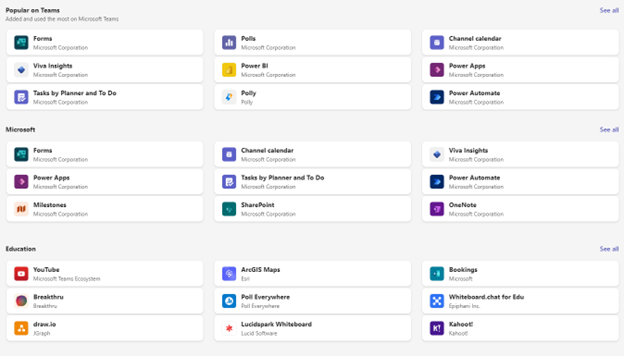
This is a very common scenario, for instance, you may be using something else for collaboration or Zoom for your meetings and so on. With a Microsoft environment, security is paramount and Microsoft 365 is designed to protect your data in a central place that you have full control over. Microsoft continues to add apps and hooks into Microsoft Teams to support multi-vendor environments, and it’s worth taking a look at what is available within the Teams platform to ensure you have all the tools you need.
For example, you may use Google Analytics or Mailchimp as part of your environment. You are able to publish the information you have from Mailchimp or Google analytics directly into your Teams environment without having to leave it.
What about using other browsers? Will you have the same experience?
Microsoft has worked hard to ensure the user experience is the same across devices (laptops, iPad, Phones, etc.), browsers, and operating systems. It’s a universal platform allowing you to truly work from anywhere and from any device.
There is much more to Microsoft 365 than we can cover in 25 minutes. Watch our full webinar to get a glimpse, and don’t forget to join us on August 16th to learn more about Adobe Acrobat’s integration into Microsoft 365.





