



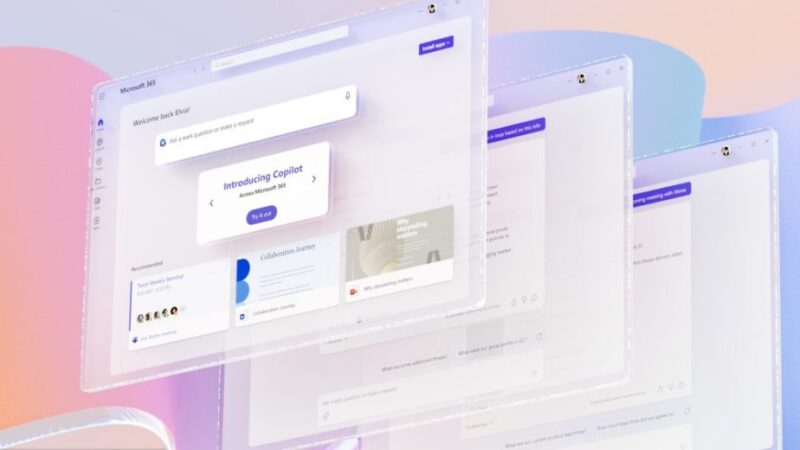
As a small to mid-sized business (SMB) owner, you do everything you can to motivate your team and keep them excited about their work, but some tasks in everyday business will always feel like a grind. Tracking long email chains, setting daily meeting agendas, editing marketing copy, analyzing spreadsheets…the list goes on. The landscape of work is becoming more complex, and we need a new way forward to preserve passion in the workplace. Enter Microsoft Copilot.
Copilot is Microsoft’s next-generation AI that integrates into the Microsoft 365 apps you already use on a daily basis. Using large language models (LLM) and your business’s data, Copilot transforms your words into a productivity tool—allowing you to issue prompts in natural language within your apps to complete tasks that would otherwise eat up valuable time. Follow along while we discuss the capabilities of Copilot and showcase how it can change the way your SMB works for the better.
Jumpstart the Creative Process
Sometimes starting a project can be more challenging than finishing it. Sifting through data and research eats up time that could otherwise be spent on the creative process. Using Copilot in Word and PowerPoint helps you create first drafts easily with just a brief prompt, and since Copilot is connected to all of your other apps you can reference your own data to begin the writing process.
You could, for example, prompt Copilot with the following: “Write a project proposal in Word using data from [a spreadsheet] and [a document].” If the proposal needs editing to be more concise and to sound more professional, simply prompt Copilot to do so—e.g., “Make the third paragraph more concise. Change the tone of the document to be more casual.” To bring everything together, you could then ask Copilot to create a presentation in PowerPoint with animations, stock photographs, and speaker notes based on your data sets and newly written proposal.
Drive Productivity
Mundane and repetitive tasks are the bane of SMBs as they eat up precious time and resources and kill motivation. Copilot liberates you and your staff from these manual processes to help free up time for work that really matters. Copilot in Outlook allows you to summarize long email chains to distill the most important information and will even divulge the different viewpoints of each person involved. Copilot in Teams tracks your meetings’ conversations, allowing you to organize discussion points. It can also create meeting agendas based on previous chat data. Staff can use natural language with Copilot in Power Automate to create chatbots and functional apps within minutes.
Leverage Your Data for Better Communication
As your business operates, you generate an abundance of data across multiple apps, and translating this data into actionable processes can be time-consuming to say the least. Business Chat is a new experience that uses Microsoft Graph to combine data from your documents, spreadsheets, email, calendar, and more to enable you to keep your team informed and synchronized. For example, you can give Business Chat a prompt like, “Tell my team how we updated the product strategy,” in which case Business Chat would use your morning meetings, emails, and chat threads to generate an update for your team. Keeping everyone on the same page has never been this easy.
Invigorate Your Business with Copilot
Many SMB owners will say that running a business is a labor of love, but the complex nature of the modern workplace makes daily tasks feel more like labor. Microsoft Copilot can help free you and your workforce from the drudgery of busywork so you can focus on work that sparks ingenuity and passion. Learn more by contacting Point Alliance today.





